
We’ve all been there: a favorite brand sends too many promotional emails. You’re hesitant to unsubscribe because you don’t want to miss important updates, but the sheer volume of messages is becoming overwhelming.
To prevent your customers from feeling this way, there is a simple and effective solution: Campaign categories. Using this feature allows subscribers to unsubscribe from only irrelevant content, while you retain an engaged audience and reduce unnecessary sending costs.
This guide explains how to properly manage campaign categories in NiceSender.
Quick Navigation:
Step 1: Creating Campaign Categories
To create categories, go to Settings → Campaign categories, click “+Add category,” and enter a name.
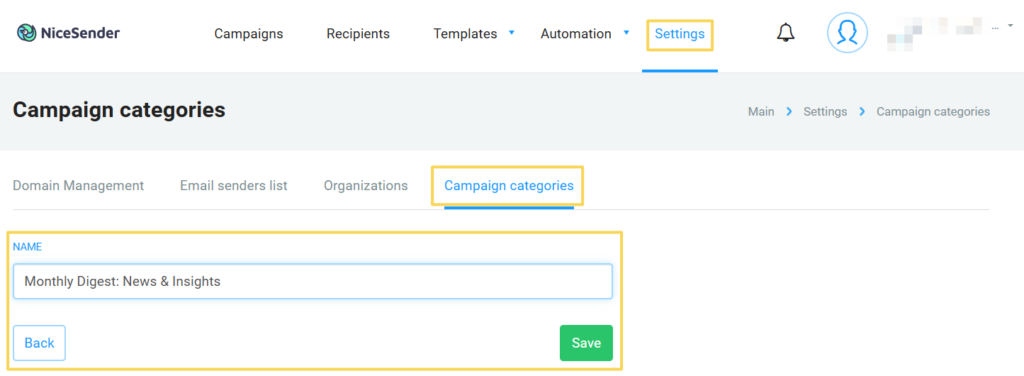
Pro Tip: Choose names that clearly communicate the content to your subscribers.
Good examples: Monthly Digest: News & Insights, Promotions & Special Offers, Account Notifications.
Bad example: Category 1.
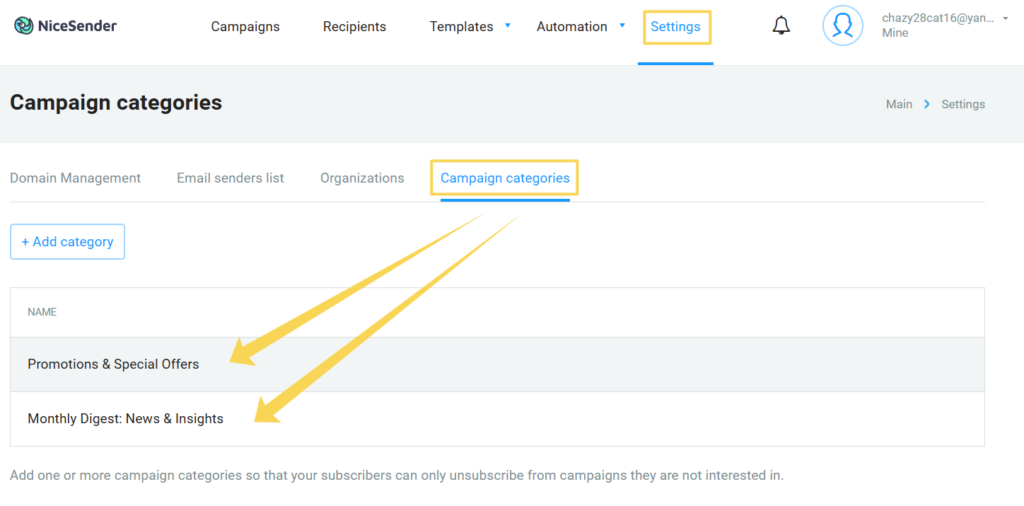
Step 2: Assigning Categories to Your Campaigns
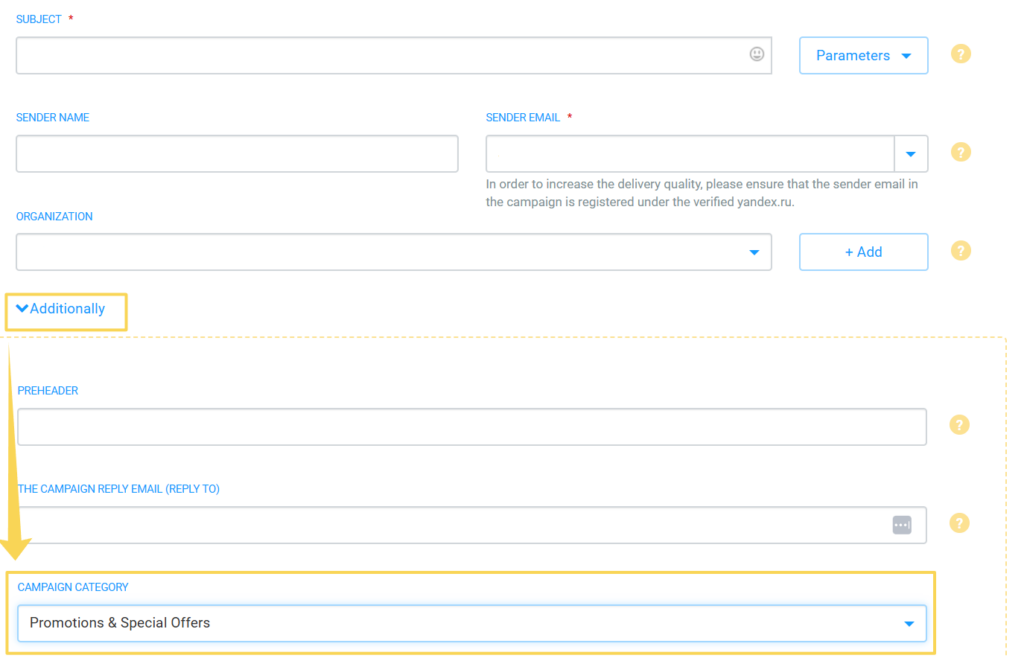
When creating a campaign via the web interface, you can assign it a category during the first step. Under the “Additionally” settings tab, simply select the appropriate category from the dropdown list.
How Unsubscribing Works in NiceSender
Campaign Categories help you retain subscribers by offering them choices during the unsubscribe process:
- Via the Inbox Unsubscribe link: The user unsubscribes only from the specific category associated with that email. If no category was assigned, the user will be unsubscribed from all your campaigns.
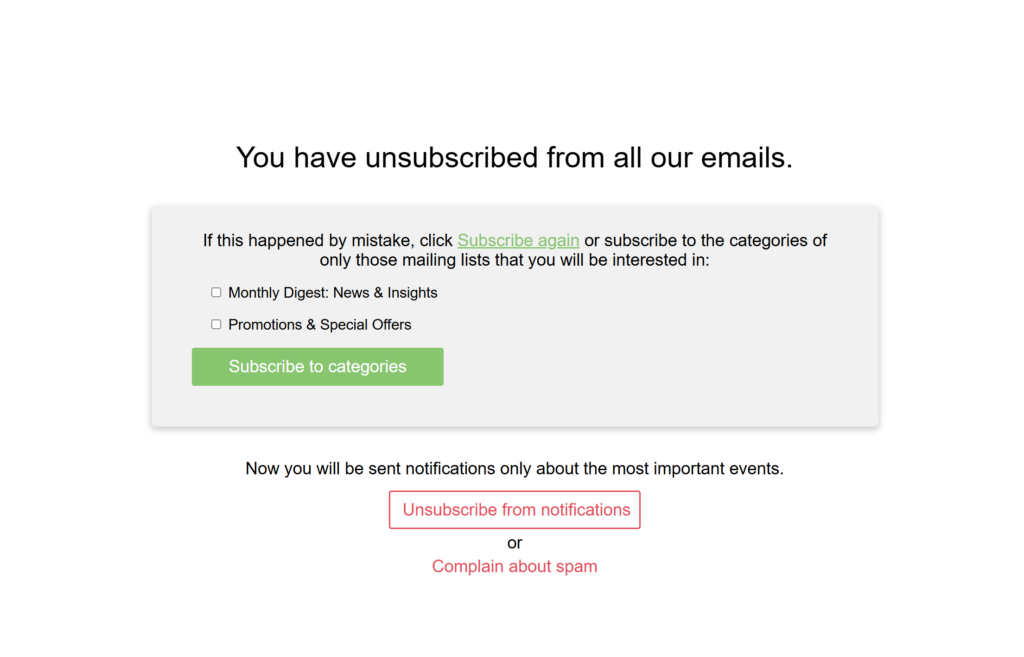
- Via the Footer Link: The user is directed to a Preference Center (displayed in their browser’s language). Here, they can see their active subscriptions, opt out of specific topics, or even re-subscribe to others.
Technical Details: API and SMTP Categories
Managing email campaign categories for web-based campaigns is straightforward. However, when using integrations, it is crucial to understand how the system distributes traffic. This ensures that a marketing opt-out doesn’t block critical notifications like receipts, passwords, or order statuses.
By default, NiceSender separates two traffic streams: “Marketing” and “API/SMTP”. This protects the sender: even if a client unsubscribes from marketing content, they will continue to receive essential transactional updates.
SMTP Protocol Limitations
SMTP is a global standard that does not natively support “tags” or “categories.” When sending via an SMTP relay, you cannot label a message as a “Digest.” All traffic through this channel is automatically assigned to the general “API/SMTP” category.
Two Ways to Send via API
NiceSender identifies API requests based on the method used:
- Single Email Messages Method: Designed for instant service alerts. These are automatically categorized as “Transactional emails (API/SMTP).”
- Campaigns Method: A programmatic version of the web interface. This is the only method that supports custom Category IDs.
Important Considerations for Category Setup
Imagine sending a promotional blast via the API using the “Single Email Messages” method. The system will categorize it as a critical transactional notification. If a recipient marks it as spam or unsubscribes, they will be opted out of the entire “Transactional emails (API/SMTP)” category. Consequently, they will stop receiving all vital notifications, and your sender reputation may decline.
⚠️ Important: If you send both marketing and transactional emails from the same account, a spam complaint on a promotional email can negatively affect your overall sender reputation and impact all traffic, including time-sensitive order updates.
Best Practices for Implementation
- For Marketing: Use the Campaigns API methods. This allows you to assign campaign categories, giving your customers the power to choose what they want to hear about.
- For Service Notification: Keep SMTP and Single Email Messages API methods strictly for transactional use. These channels are optimized for maximum delivery speed and do not require manual categorization.
By implementing an email campaign category strategy, you improve subscriber loyalty, reduce complaints, and maintain a healthy sender reputation.