
With the NiceSender AI Assistant, you can create and refine high-quality copy for your email campaigns. But how do you get the AI to work for you instead of delivering generic, cookie-cutter responses? It all comes down to prompts — precise, well-thought-out instructions.
In this article, we’ll reveal the secrets of writing effective prompts based on best practices in prompt engineering. We’ve also prepared ready-to-use prompts for you. You can easily adapt them to your specific business needs and get professional copy on the first try, saving you hours of work.To learn more about the basic functions of the tool, check out our guide: How to Use the NiceSender AI Assistant to Create Emails.
Table of Contents:
How to make AI think, not guess: The structured prompt method
The quality of an AI’s response depends not just on the content, but on the logical flow of your request. Research shows that AI processes information more effectively when key instructions are placed at the very beginning and the very end of the prompt.
The ideal email prompt sequence: “Context-Task-Guidelines”
To get a professional result, follow this simple hierarchy: first, describe the situation, then define the task, and finally set the boundaries.
1. Context: Set the role and niche
Clearly state who the AI should “be” (e.g., a Senior Email Marketer) and specify your industry. This helps the AI adopt the right professional tone and understand your audience’s expectations.
2. Task: Explain what needs to be done
Define the primary goal. Should the AI write a full email, brainstorm subject lines, or create a follow-up plan? Precision is key here.
3. Guidelines: Set the boundaries
Guidelines are the critical parameters. This includes requirements for length (e.g., “under 150 words”), tone, formatting, or specific elements like “include a 10% discount code.”
Three universal prompts: Sales emails, A/B tests, and surveys
Use these templates as a foundation. Simply replace the information in brackets [ ] with your details to get production-ready copy in seconds.
1. Sales email campaign prompt
Use this prompt to get a conversion-focused email that speaks directly to your customer’s needs.
Template:
[CONTEXT]: Act as an experienced email marketer. We sell [product/service name] for [target audience description]. Our audience faces the problem of [specific target audience problem].
[TASK]: Write an email for a campaign to solve this problem using our product.
[GUIDELINES]: Use a [friendly/motivational] tone. Include 3 key benefits of the product for the customer. End with a call to action: [your CTA].
Example:
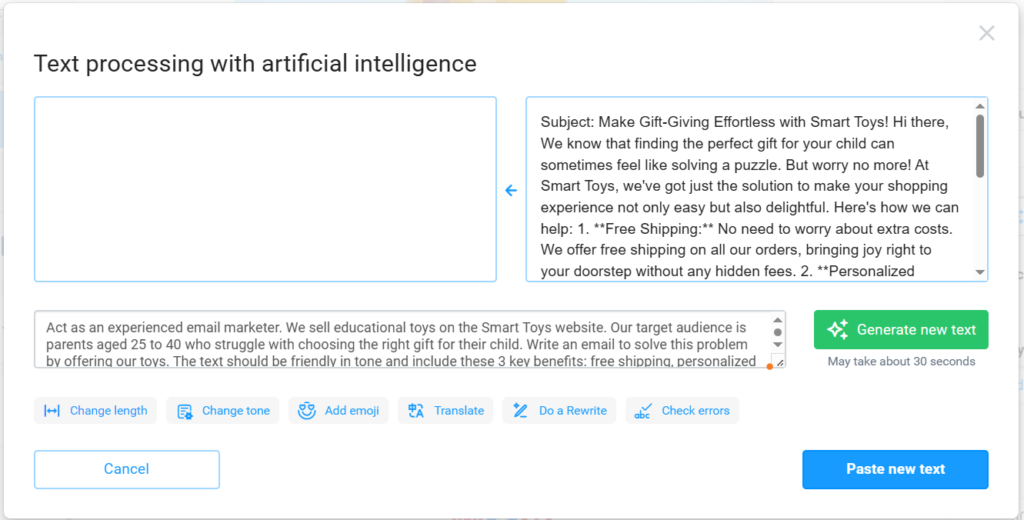
Act as an experienced email marketer. We sell educational toys on the Smart Toys website. Our target audience is parents aged 25 to 40 who struggle with choosing the right gift for their child. Write an email to solve this problem by offering our toys. The text should be friendly in tone and include these 3 key benefits: free shipping, personalized selection, and a 10% discount on the first order. End with a call to action: “Choose a gift.”
AI-generated result:
Subject: Make Gift-Giving Effortless with Smart Toys!
Hi there, We know that finding the perfect gift for your child can sometimes feel like solving a puzzle. But worry no more! At Smart Toys, we’ve got just the solution to make your shopping experience not only easy but also delightful.
Here’s how we can help:
1. Free Shipping: No need to worry about extra costs. We offer free shipping on all our orders, bringing joy right to your doorstep without any hidden fees.
2. Personalized Selection: Every child is unique, and their toys should be too! Our expert team is here to help you choose from a wide range of educational toys tailored specifically to your child’s interests and developmental needs.
3. 10% Discount on Your First Order: We believe in rewarding your trust. Enjoy a 10% discount on your first purchase with us, making your gifting experience even sweeter.
Ready to see the smiles on your child’s face? Explore our collection and let us assist you in choosing the best gift.
Choose a gift today and enjoy the ease and joy of shopping with Smart Toys!
Choose a gift (CTA)
This is a solid, ready-to-use draft for when you’re short on time, though a quick manual polish can make the tone feel even more personal and unique.
2. Email A/B testing prompt
This prompt allows you to get two copy options for email A/B testing at once.
Template:
[CONTEXT] You are an expert in email A/B testing. Email Topic:[mailing topic]. Key product benefits: [list 2–3 benefits].
[TASK] Generate two text versions for an A/B test:
1. A [friendly/motivational] version with an emphasis on [benefits].
2. A [formal/expert] version with an emphasis on [pain points or fears of the target audience].
[GUIDELINES] When finished, analyze which version is more likely to get a better response and why. Both versions should contain a call to action: [your CTA].
Example:
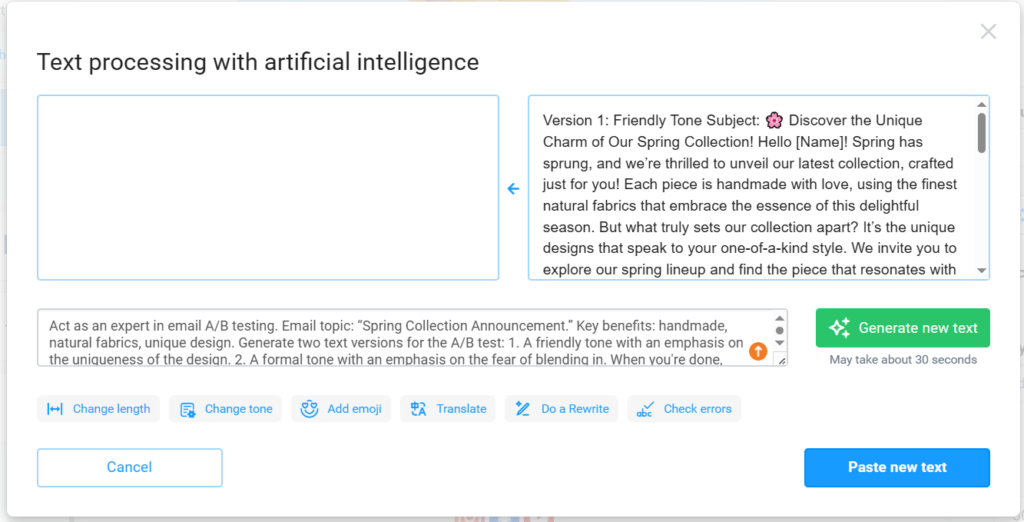
Act as an expert in email A/B testing. Email topic: “Spring Collection Announcement.” Key benefits: handmade, natural fabrics, unique design. Generate two text versions for the A/B test: 1. A friendly tone with an emphasis on the uniqueness of the design. 2. A formal tone with an emphasis on the fear of blending in. When you’re done, analyze which version is more likely to drive higher engagement and why. Both options should include a call to action: “Choose your look.”
AI-generated result
3. Customer feedback survey prompt
This prompt helps you draft a survey email to gain real insights into your customer experience. It’s designed to gather both quantitative data (ratings) and qualitative feedback (comments).
Template:
[CONTEXT]: Acting as a customer experience analyst.
[TASK]: Create a list of 7 survey questions aimed at identifying [categories: e.g., overall satisfaction, challenges, expectations, or reasons for choosing us]. The goal is to understand how customers evaluate our [product/service].
[GUIDELINES]: Structure the list with 1 rating scale (1–10), 5 multiple-choice or Yes/No questions, and 1 open-ended question at the end.
Example:
Act as a customer experience analyst. Create a list of 7 email survey questions to evaluate our food delivery service (food quality, delivery speed, app usability).
Structure the list as follows: 1 rating scale question (1–10), 5 multiple-choice or Yes/No questions, and 1 open-ended question at the end.
AI-generated result
1. On a scale of 1 to 10, how would you rate the overall quality of the food delivered?
2. Was your order delivered within the estimated time frame?
– Yes
– No
3. How would you describe the temperature of the food upon arrival?
– Hot
– Warm
– Room Temperature
– Cold
4. Was the app easy to navigate and use for placing your order?
– Yes
– No
5. Did you find the variety of food options in the app satisfactory?
– Yes
– No
6. Would you recommend our food delivery service to friends or family?
– Yes
– No
7. Please share any additional feedback or suggestions you have to improve our food delivery service.
Refining your email copy with NiceSender AI
Even the best prompt is usually 80% of the way there. To make it perfect, you can fine-tune the output manually or use NiceSender’s built-in AI features:
- Change tone: Switch between friendly, formal, or motivating styles in one click.
- Change length: Shorten or expand the text by 25% or 50% while keeping the core message intact.
- Do a Rewrite: Instantly refresh the wording to improve flow and uniqueness.
- Check errors: Run a quick grammar and typo check to ensure professionalism.
Final takeaway
To turn AI into your reliable copywriting assistant, remember these three rules:
- Assign a clear role. Don’t just ask for a text; tell the AI who it is.
- Follow the structure. Context – Task – Guidelines. Keep your most important details at the beginning or end.
- Specify your niche. The more the AI knows about your industry, the less “AI-babble” you’ll get.
Start using the NiceSender AI Assistant today to save time and build stronger connections with your audience!