
Sometimes, a triggered email sequence doesn’t work as expected. When that happens, you don’t need to contact support and wait for a specialist to analyze the issue.
You can manage your automations independently and with maximum efficiency. By reviewing the entire customer journey, you can quickly spot the bottleneck and resolve it yourself.
In NiceSender, all subscriber information is consolidated in the Recipient Profile. It allows you to study detailed subscriber data, analyze customer behavior, monitor triggers, and refine your strategy to boost conversion rates.
What’s Inside the Recipient Profile?
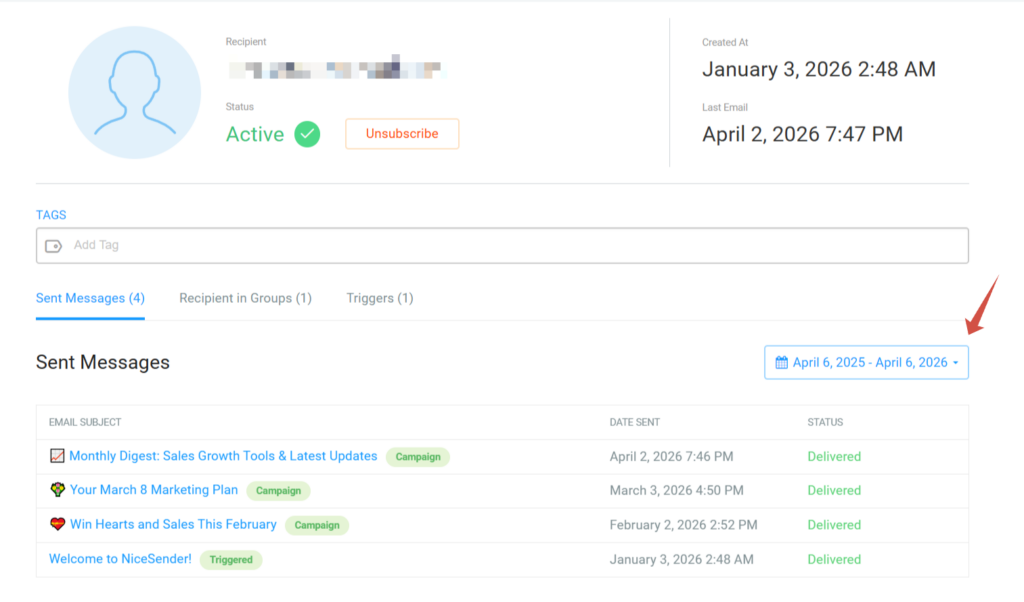
🔸 Complete History of Sent Messages
Track all email campaigns, triggered, and transactional emails. You can see exactly how the subscriber interacted with every message—whether they opened, clicked, or ignored it.
🔸 List of Segmentation Groups
Evaluate engagement based on the groups the recipient belongs to—whether they joined by interest or as part of your segmentation strategy.
🔸 Detailed Trigger Logs
Get immediate clarity on how your triggered emails worked. Review the entire sequence of actions to quickly verify and adjust your settings.
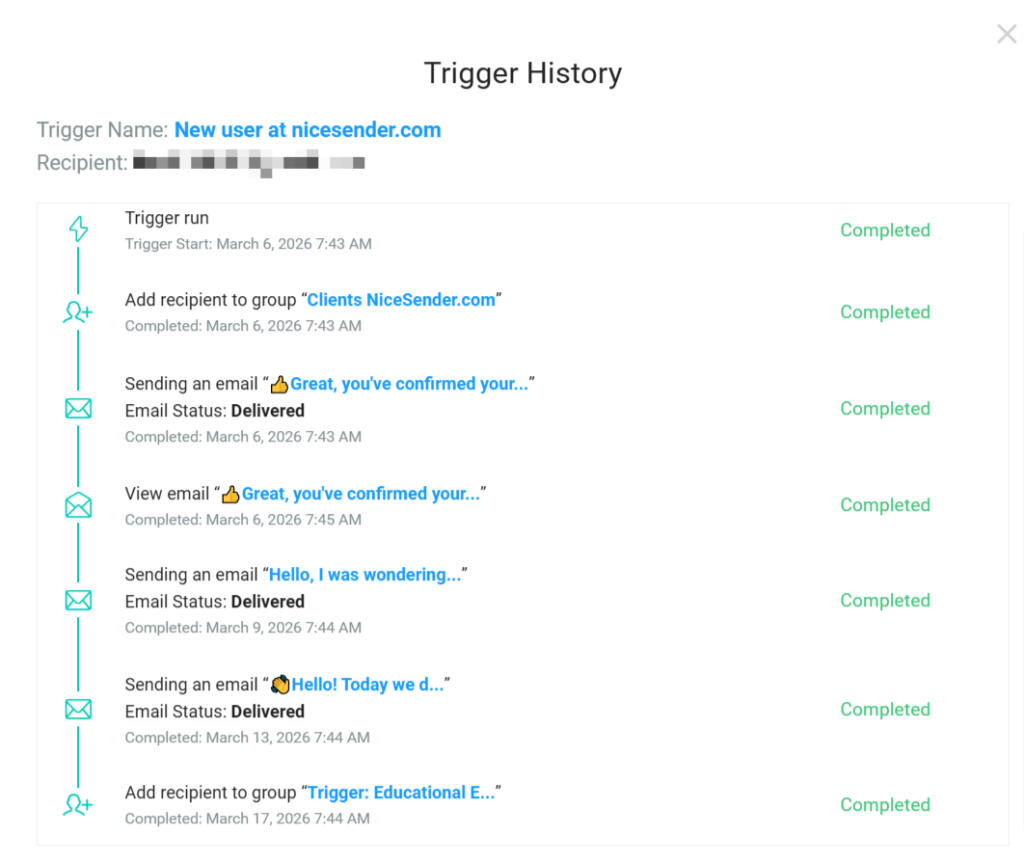
🔸 Reasons for “Problematic” Status
Find out exactly why a subscriber was marked as “problematic” (e.g., due to an invalid address) directly in their profile.
🔸 Recipient Tags
View assigned tags that reflect interests and characteristics, helping you ensure your campaigns stay highly relevant.
🔸 Unsubscribe Insights
Access full details on unsubscribes: date and time, country, campaign category, and the original source (such as an import from another service).
How to Access the Recipient Profile
To view any profile, go to the Recipients section and click on a subscriber in the “All Recipients” list or within a specific mailing list.
How to Review Sent Messages
The full history is located in the Sent Messages subsection of the Recipient Profile. You can set a specific time frame to analyze campaigns sent during that period.
Take full control of your data with NiceSender. Head over to the Recipients section to identify problematic statuses and ensure your triggered sequences are delivering the results you expect.