
For businesses, Black Friday is an exceptional opportunity to secure substantial revenue, clear inventory before seasonal updates, and attract customers who will stay loyal long after the holidays.
What’s more, the sales season perfectly aligns with consumer goals. Shoppers typically tackle two objectives at once: purchasing holiday gifts in advance and completing major purchases they’ve planned throughout the entire year.
The scale of the event is massive: according to global Shopify analytics for the peak of the 2025 season, small and medium-sized business sales grew by 27%, reaching a record $14.6 billion. At the peak of Black Friday discount activity, shoppers spent $5.1 million per minute, with an average order value of $114.70.
The audience is ready to buy, but competition for their attention is fierce. To maximize the benefits of the sale, businesses need regular touchpoints, compelling offers, and automated email sequences.
In 2026, Black Friday falls on November 27. Below is a step-by-step preparation plan for an email campaign along with sample email sequences.
Table of Contents
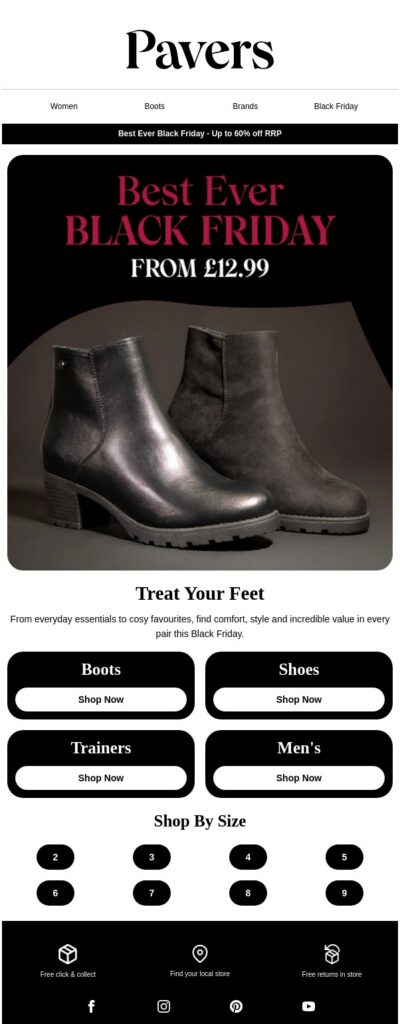
Preparation for Launching Black Friday Email Campaigns
Setting the Goal of the Email Campaign
Before designing layouts and setting up sequences, define your target outcome. Your goal dictates what you send, when you send it, and to whom.
- Revenue and Sales Growth: Maximizing conversions during peak demand periods.
- Promoting New Arrivals: Drawing attention to new collections or services.
- Activating Regular Customers: Rewarding a loyal subscriber base with exclusive terms.
- Attracting New Leads: Collecting contacts through sign-up forms offering holiday bonuses.
- Inventory Clearance: Freeing up warehouse space before updating assortments (“last chance” campaigns).
- Cross-Selling and Upselling: Increasing average order value by offering complementary products.
Personalization and Segmentation
Avoid blasting the same email to everyone. Segment your database based on purchase history, click behavior, and website interests. Personalized recommendations derived from past user activity are the primary way to stand out in a crowded inbox. You can learn more about segmentation in NiceSender in this article.
Mail List Hygiene and Domain Warm-Up
Concurrently with content preparation, configure your technical setup to ensure high inbox placement rates.
- Domain Warm-Up: If you haven’t sent regular campaigns over the past three months, scale up your volume gradually, starting with your most active subscribers. You can learn more about domain warm-up in this NiceSender article.
- Database Validation: Timely email verification removes non-existent addresses and spam traps, protecting your sender reputation and optimizing your budget.
Running list validation is essential if you have never verified recipient addresses before or if there has been a pause in sending longer than 3 months.
Email Campaign Strategies: Choosing a Sequence Based on the Time Left Until Black Friday
All promotional emails can be prepared ahead of time in the NiceSender email builder and scheduled as time-based campaigns for specific dates and hours. This approach helps control sending volume and manages the sales team’s workload.
The Ideal Scenario: 3–4 Weeks Before Launch
Launching a campaign a month before Black Friday builds early demand and distributes peak load. Split the promotion into two phases: a closed pre-sale featuring limited stock at maximum discounts, followed by a public launch with standard promotional terms.
In the scenarios below, sales during the closed phase target those who showed activity in previous emails. In NiceSender, this is configured in just a couple of clicks before sending: when selecting recipients, you simply set the filter "Followed the link" for campaign [Name of previous email] and choose "Any link".
Example Email Sequence Structure
Email #1 (21–28 days out): Useful Content and Wishlist Building.
Format: Simple scheduled campaign.
Segment: Entire active subscriber base (opens within the last 60–90 days).
Content: Expert guides that simplify product selection before mass discounts go live. Conclude by inviting readers to curate a shopping list (adding items to “Favorites” or their website cart).
Niche Examples:
- Apparel and Footwear: “How to build a winter capsule wardrobe: 5 basic combinations” — focusing on categories participating in the sale.
- Home Appliances: “Criteria for choosing an automatic home espresso machine” — helping customers nail down their model before the rush.
- Food Delivery: “Checklist for hosting a home event” — highlighting holiday catering sets.
Example Subject Line: [Name], how to prep for Black Friday without impulse spending.
Email #2 (14 days out): Closed Pre-Sale Invitation.
Format: Simple scheduled campaign.
Segment: Subscribers who engaged with Email #1 (opens/clicks).
Content: Announce VIP access terms. Offer early access to purchase limited stock at maximum discounts ahead of the public launch.
Example Subject Line: Closed Pre-Sale: Reserve your spot before the public launch.
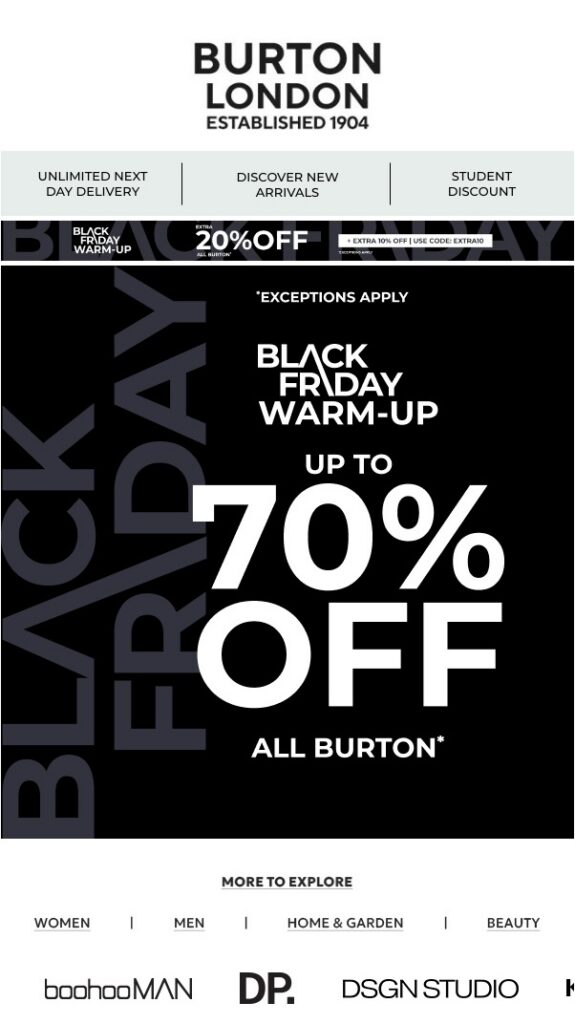
Email #3 (5–7 days out): Pre-Sale Kickoff and Opening Sales.
Format: Simple campaign targeted at engaged subscribers.
Segment: Subscribers who clicked links in Email #1 or #2.
Content: Officially open the pre-sale catalog. Emphasize that maximum-discount items are available strictly while allocated stock lasts. If an item sells out, it will either be unavailable during the public phase or offered at standard promotional terms.
Example Subject Line: Pre-Black Friday Kickoff: Maximum discounts on selected collections.
Email #4 (on launch day): Main Promotion Launch.
Format: Simple scheduled campaign.
Segment: Entire database (excluding customers who already purchased during the Pre-Sale stage).
Content: Open the sale to your entire audience. Feature a clear product grid, compare baseline and promotional prices, and integrate a countdown timer.
Additional tip: Add a cross-sell block (“Frequently bought together”) — a curated selection of low-cost complementary items and accessories (care products, cases, consumables)—to boost average order value right at checkout.
Key Advantages of Email Pre-Sales:
- Zero gap between announcement and conversion: Customers can buy immediately after seeing promo pricing in Email #3, preventing them from defecting to competitors.
- Inventory management: Selling off allocated stock during the pre-sale phase balances warehouse and fulfillment workloads.
- Goodwill protection: Customers who open the first or second email receive privileged terms, significantly boosting brand loyalty.
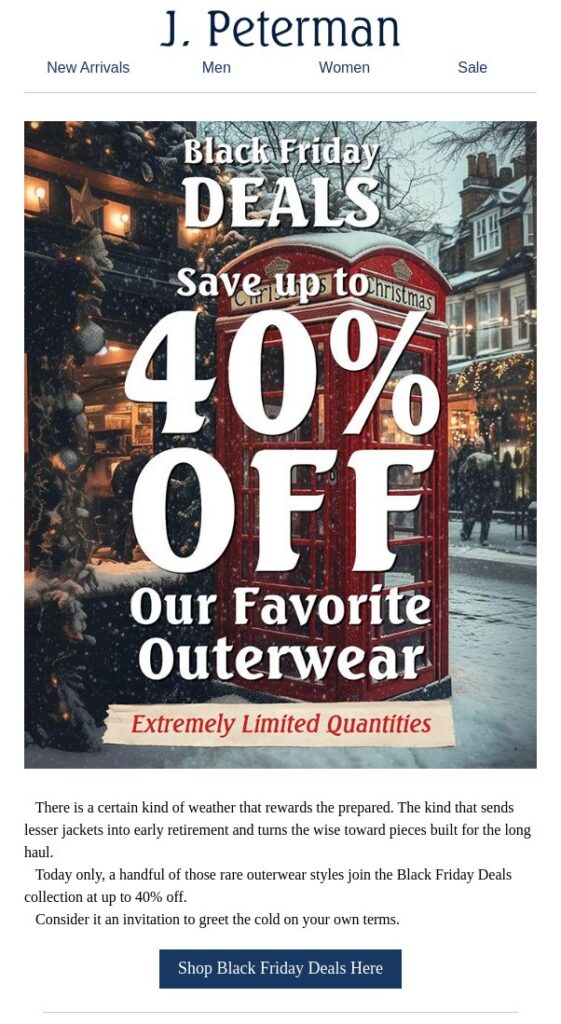
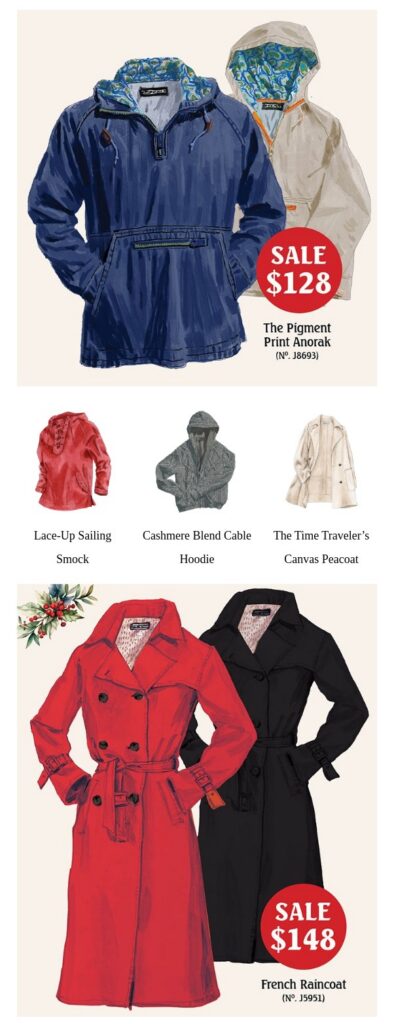
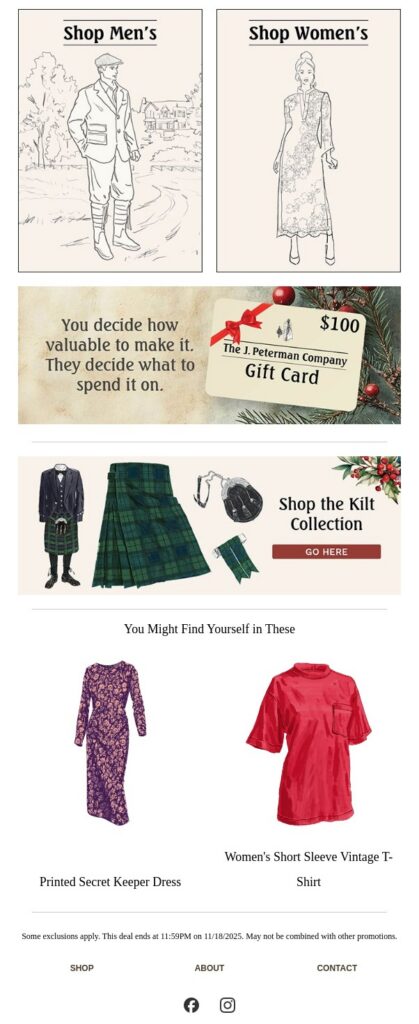
The Optimal Scenario: 2 Weeks Before Launch
A balanced option for most online stores. Over a 14-day window, subscribers won’t experience email fatigue, and the business has ample time to announce the promotion and prep users for purchases.
Structure of a 3-Email Sequence:
Email #1 (14 days out): Announcement and Demand Capture.
Format: Simple scheduled campaign.
Segment: Entire active database (opens in the last 60–90 days).
Content: Announce the Black Friday start date. To keep eyes on your brand before the sale kicks off, prompt users to take a micro-conversion action:
- Sync with calendar: Insert a special event link so users save the launch date and get a personal reminder.
- Curate a wishlist: Encourage customers to build their wishlists ahead of time. When the sale goes live, they’ll be able to check out in seconds without having to browse the catalog.
- Secure VIP access: Invite users to click a button that guarantees an early pre-sale link ahead of the general public.
Example Subject Line: Black Friday at [Brand]: Secure your spot and build your wishlist.
Email #2 (7 days out): Closed Pre-Sale Launch.
Format: Simple campaign to the engaged segment.
Segment: Subscribers who engaged with Email #1 (opens/clicks).
Content: Insider-only shopping. Showcase the top 10 bestsellers with maximum discounts and provide a direct checkout link. Highlight the catch: the promotion applies strictly to allocated stock. First come, first served at the lowest price before the general rush.
Example Subject Line: [Name], your Black Friday starts today: Insider early access.
Email #3 (on launch day): Mass Sale Launch.
Format: Simple scheduled campaign.
Segment: Entire database (with mandatory exclusion of those who already bought during the Pre-Sale).
Content: Official public opening of the sale. High-contrast product grid comparing old and new prices, clear shipping terms, and a GIF countdown timer ticking down to the end of the event.
Example Subject Line: Black Friday is live: Up to −50% off everything.
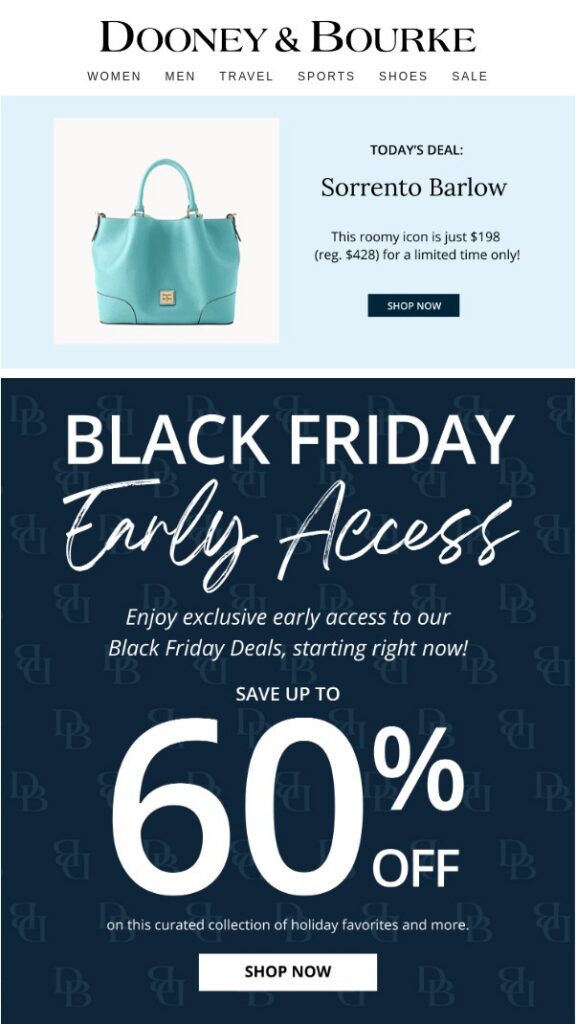
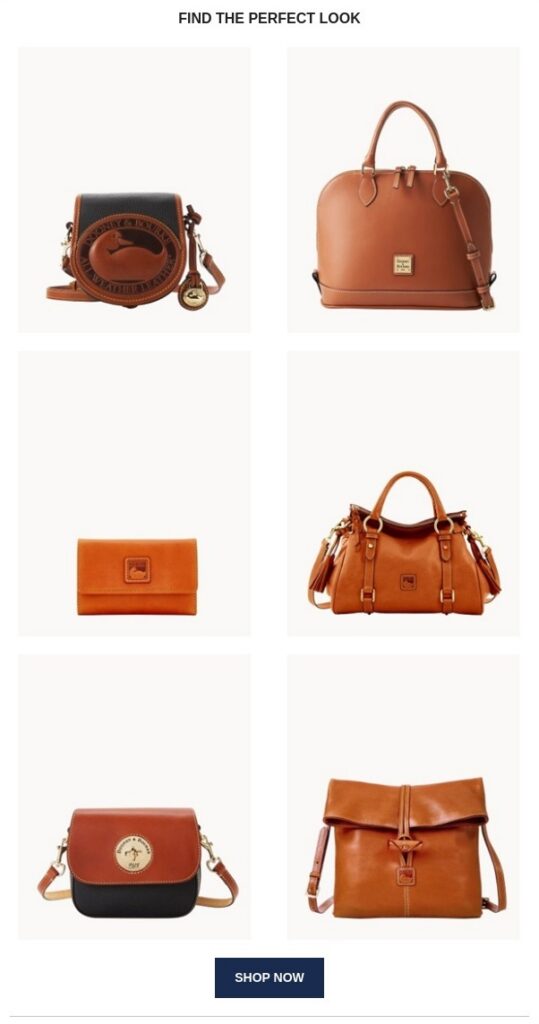
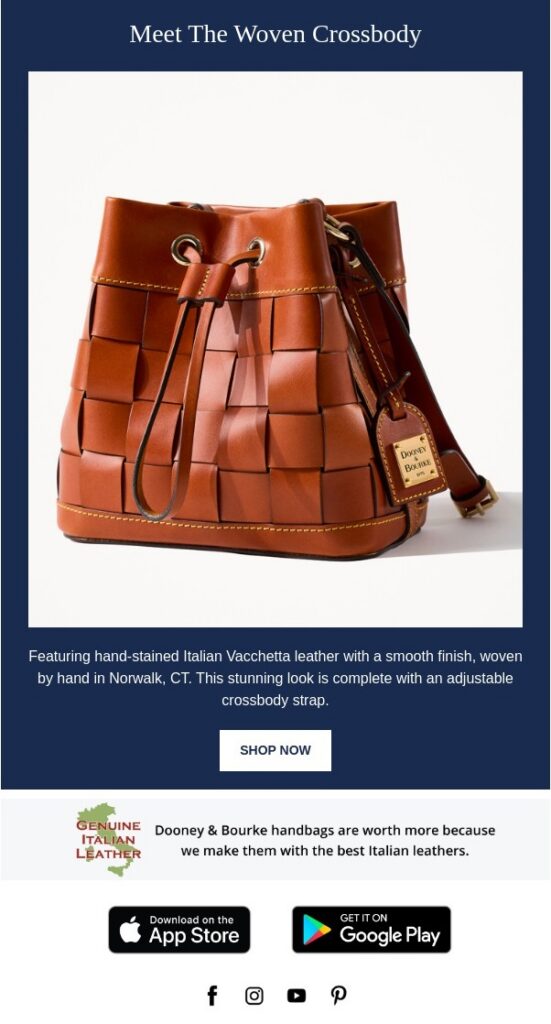
Express Launch: 1 Week Before Launch and Early Access for Insiders
When you’re down to just a week before the sale, long warm-up sequences are off the table. A leaner framework works best: offer subscribers early insider access first, let them buy ahead of everyone else, and then open the floodgates to the rest.
Pro tip: It’s best to avoid sending pre-sale emails to subscribers who haven’t opened a message in the past 6 to 12 months, as this can trigger spam complaints. Instead, try focusing your express campaigns on contacts who have been active within the last 1–2 months.
Example Email Sequence for a 1-Week Express Launch:
Email #1: Announcement and VIP List Registration.
Segment: Active subscribers (opened emails in the last 30–60 days).
Content: Let readers know Black Friday is a week away, but offer them early-bird discounts. Include a single prominent CTA button (“Join the VIP List”). Highlight the perk: VIP members unlock maximum promo-code discounts for exactly 24 hours.
Example Subject Line: [Name], claim your early access to Black Friday.
Email #2 (3 days before launch): 24-Hour Pre-Sale.
Segment: Only subscribers who followed any link in Email #1.
Content: Deliver a secret promo code or a private landing page link. Emphasize the hard deadline: the code expires in 24 hours, and top-tier items are in limited supply, so checking out immediately is encouraged.
Example Subject Line: Your exclusive access is live: 24-hour flash sale.
Email #3 (on official launch day): Public Sale.
Segment: Rest of the database (excluding code redeemers).
Content: Announce the official Black Friday kickoff. Feature a curated selection of bestsellers with strikethrough pricing, a reminder about free shipping thresholds, and an active countdown timer.
Example Subject Line: Black Friday has begun: Up to −50% off on-site now.
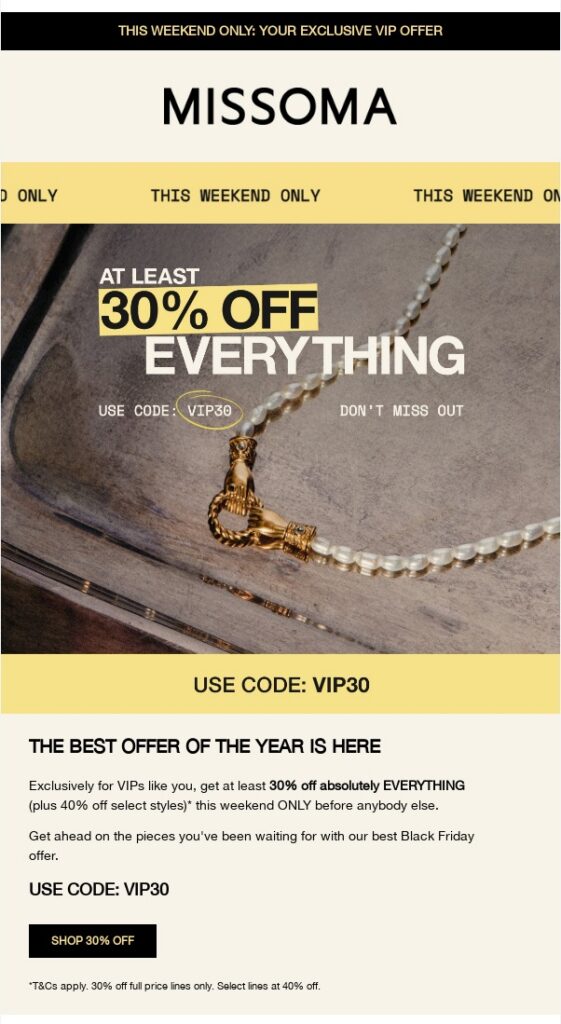
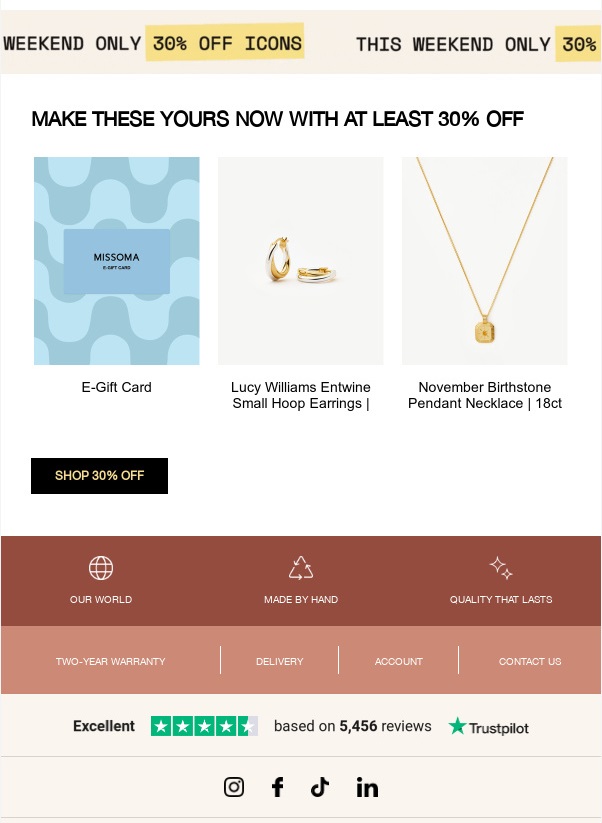
Blitz Scenario: 3 Days Before Launch
A streamlined strategy for when you only have 72 hours left and no time for complex funnels. The core objective here is balance: stay top-of-mind without burning out your subscribers’ inboxes.
Blasting three or more announcements in just 3 days usually backfires—since readers cannot buy right away, they grow fatigued by the volume and hit unsubscribe. For tight windows, a focused two-email series performs best.
Quick-Launch Best Practices:
Timing Optimization: Most brands launch campaigns at standard hours (10:00 or 12:00) when inboxes are flooded. Scheduling your automated sends for the early morning (7:45) or evening (20:30) helps your email sit near the top of the list.
Punchy Subject Lines: Cut straight to the point with concrete specifics (dates, categories, and savings values).
Example of a Short Two-Email Series:
Email #1 (3 days before launch): Announcement.
Segment: Engaged base (active in the last 30–60 days).
Content: Announce the exact date and time the sale goes live. Add actionable value by embedding a calendar-save link or prompting readers to visit the site to pre-build their wishlists / fill their carts. This gives readers a clear next step while your brand captures preliminary intent.
Example Subject Line: Black Friday in 3 days: Save the date to your calendar.
Email #2 (On launch day): Catalog Opening.
Segment: Entire active base.
Content: Official sale opening. Lay out a high-contrast grid of bestsellers with markdown pricing and free shipping details. Incorporate a dynamic GIF countdown timer to visually emphasize the ticking clock.
Example Subject Line: Black Friday is open: Up to −50% off on-site now.
To quickly lock in high-converting subject lines for your strategy, browse our curated list of 99 Black Friday email subject ideas. Having your subject lines squared away makes drafting layouts and offers a breeze.
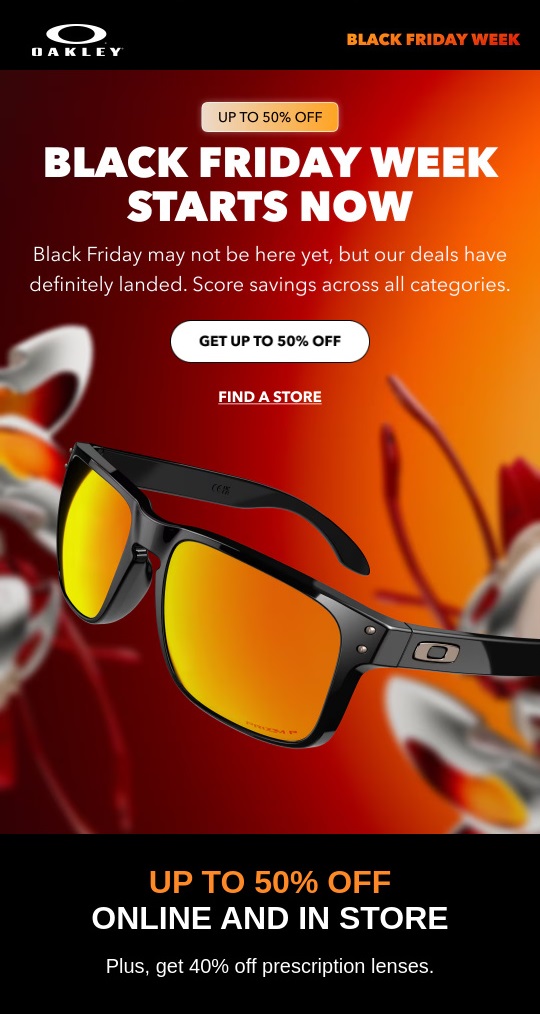
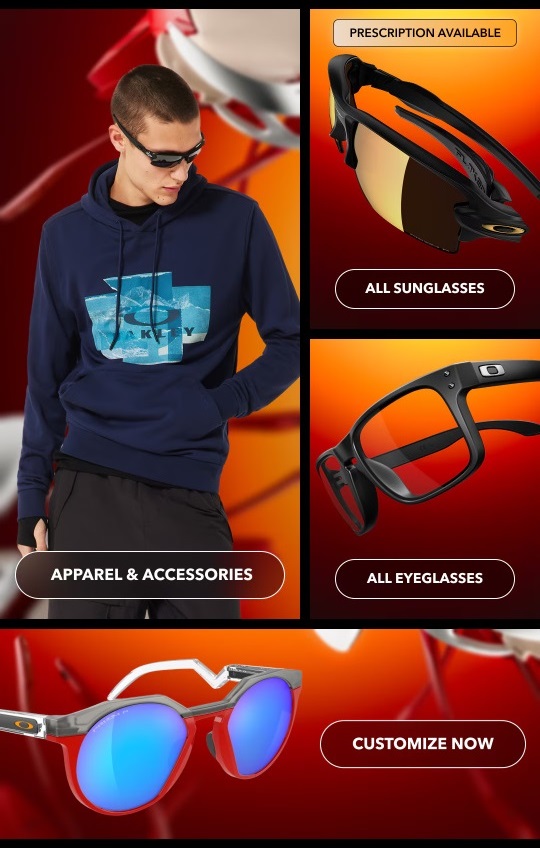
Additional Black Friday Email Ideas
To diversify your messaging and maximize conversions, pepper these campaign types into your schedule:
- Gift Guides: Curated selections and checklists (“What to get your coworker, partner, or mom”) sorted by budget and interests. Gift-guide emails generate an average conversion rate roughly 48% higher than standard promo emails.
- Gift Cards: A foolproof alternative for shoppers hesitant about picking the exact right product.
- Winter Holiday Reminders: Emphasize that checking off holiday shopping now spares them December’s pre-holiday chaos and inflated last-minute pricing.
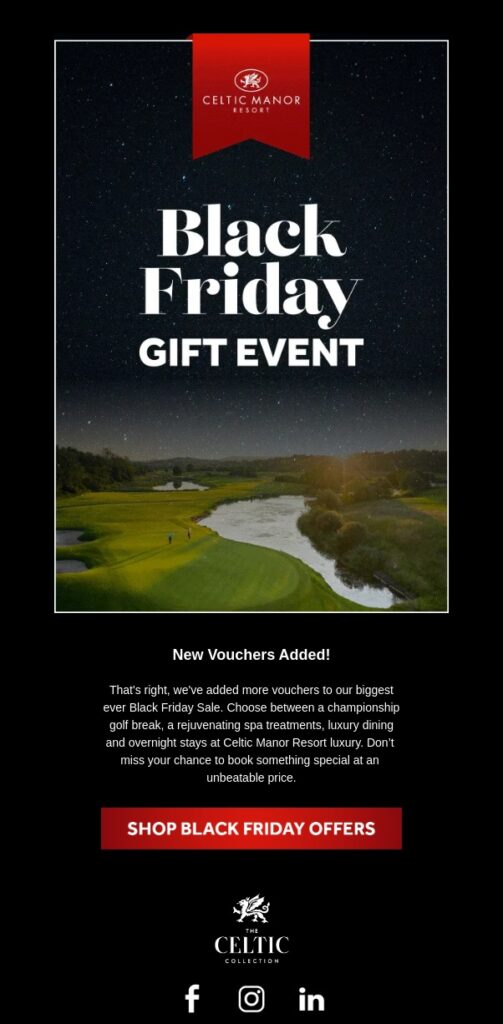
Tools to Support Black Friday Email Sales
- Trigger Emails (Abandoned Cart): During seasonal peaks, e-commerce cart abandonment spikes up to 70%. Deploy automated abandoned-cart triggers to win back hesitant shoppers before competitors swoop in.
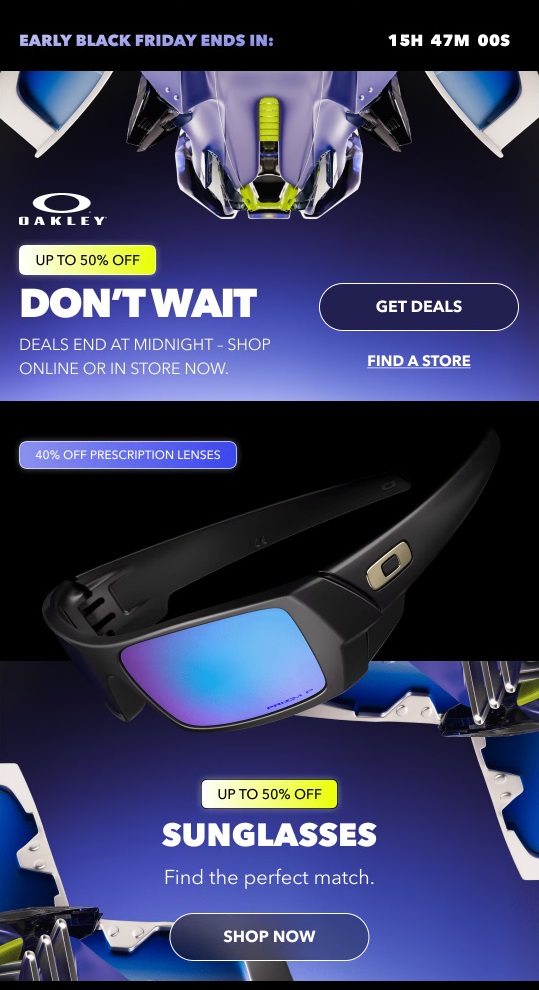
- Countdown Timers (How and Where to Use Them): Urgency and scarcity are primary conversion drivers during major sales. How you add a timer usually depends on the timer service you choose—for instance, many simple countdowns are generated as animated GIFs and embedded directly into an image block.
- For long campaigns (3–4 weeks or 2 weeks): Consider deploying two timers at different stages. Use an announcement timer counting down to the VIP pre-sale launch to build anticipation, followed by a final-hours timer in the closing email to encourage last-minute conversions.
- For short campaigns (1 week or 3 days): Stick to a single end-of-sale timer. When time is tight, keeping reader focus squarely on the expiring discount yields the best results.
- Preset Email Templates: Creating promotional email designs from scratch can be challenging when time and resources are limited during Black Friday prep. To streamline production, the NiceSender Template Gallery offers a curated collection of pre-designed layouts tailored for seasonal sales. What accelerates workflow:
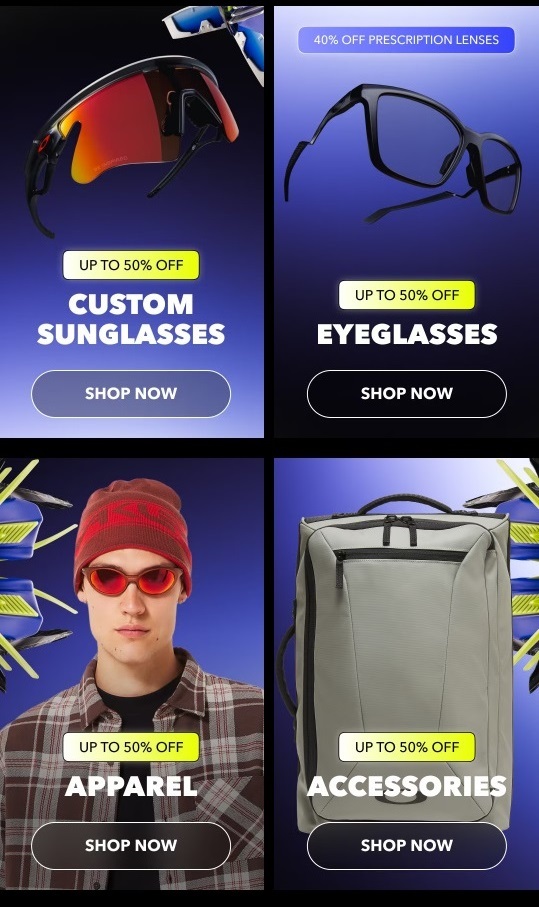
- Pre-built product grids: Layouts come pre-formatted with high-impact product cards, strikethrough baseline pricing, discount badges, and clear CTA buttons.
- Full responsiveness: Every template is pre-tested to ensure text, images, and buttons render cleanly across mobile and desktop clients without formatting errors.
- Modular flexibility: Easily adapt any layout to match your brand assets, update text, and replace banners in just a few minutes without needing a developer or designer.
Important: Many timer tools render countdowns as animated GIF files. Double-check your target dates and time zones before sending, as settings typically cannot be modified once the email is generated and sent.
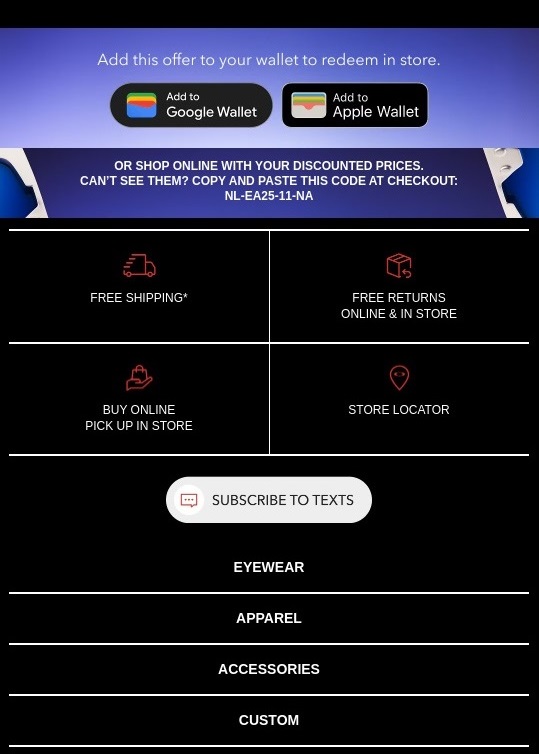
NiceSender Features to Accelerate Your Black Friday Prep:
- AI assistant & text writer: Instantly spin up catchy subject lines and persuasive product descriptions in seconds.
- AI image generator: Generate slick, festive holiday banners via text prompt right inside the email builder.
Pre-Deployment Checklist
Before clicking “Send Later” and locking in your email deployment schedule, verify:
- Inbox Test Send: Fire a test email to your personal account. Check how your subject line, sender name, and preheader render across mobile and desktop viewports.
- Link and UTM Audit: Click through every single CTA button and product card in your test email. Verify that links point to the correct landing pages and UTM parameters feed clean data into your analytics suite.
- Responsiveness and Readability: Confirm that promo prices, strikethrough discounts, and action buttons are instantly legible on mobile screens without requiring pinch-to-zoom.
- GIF Timer Check: Double-check the exact end date, time, and time zone configured in your timer generator. If anything needs tweaking, generate a fresh asset.
- Send Schedule Review: Confirm your chosen send date, exact time, and targeted recipient segments before locking in the campaign within the platform.
Key Takeaways
The success of your Black Friday email marketing campaigns relies entirely on matching your strategy to your business model, list health, and available timeline:
- Tailor Sequence Length to Your Timeline: Use multi-week warm-ups featuring wishlists and VIP pre-sales for high-ticket items or B2B offers; deploy concise 2–3 email series for rapid-fire express launches.
- Align Angles With Your Core Goals: If your objective is raising Average Order Value (AOV), lean into cross-sell blocks, accessory bundles, and gift selections. If you need to purge old inventory, double down on scarcity and strict deadlines.
- Leverage Automation Tools to Save Time: Speed up production using ready-made templates and NiceSender AI features, rescue lost buyers with automated cart triggers, and keep engagement high by streamlining your campaign workflow from start to finish.
- Protect Your Sender Reputation: Keep your domain health and contact lists in top shape by validating your database and ensuring your sender authentication protocols (SPF, DKIM, DMARC) are fully set up well in advance.
Preparing your Black Friday campaigns early gives you full control over your launch. By setting up your email sequences ahead of time, you can schedule automated sends and watch your sales drive smooth, high-converting results without any last-minute stress.
Prepare your Black Friday campaign in NiceSender